Daylight at the Desk, Glare on the Screen
Daylight at the desk can brighten your work without washing out the screen. Compare window positions and choose a layout that fits your room and routine.
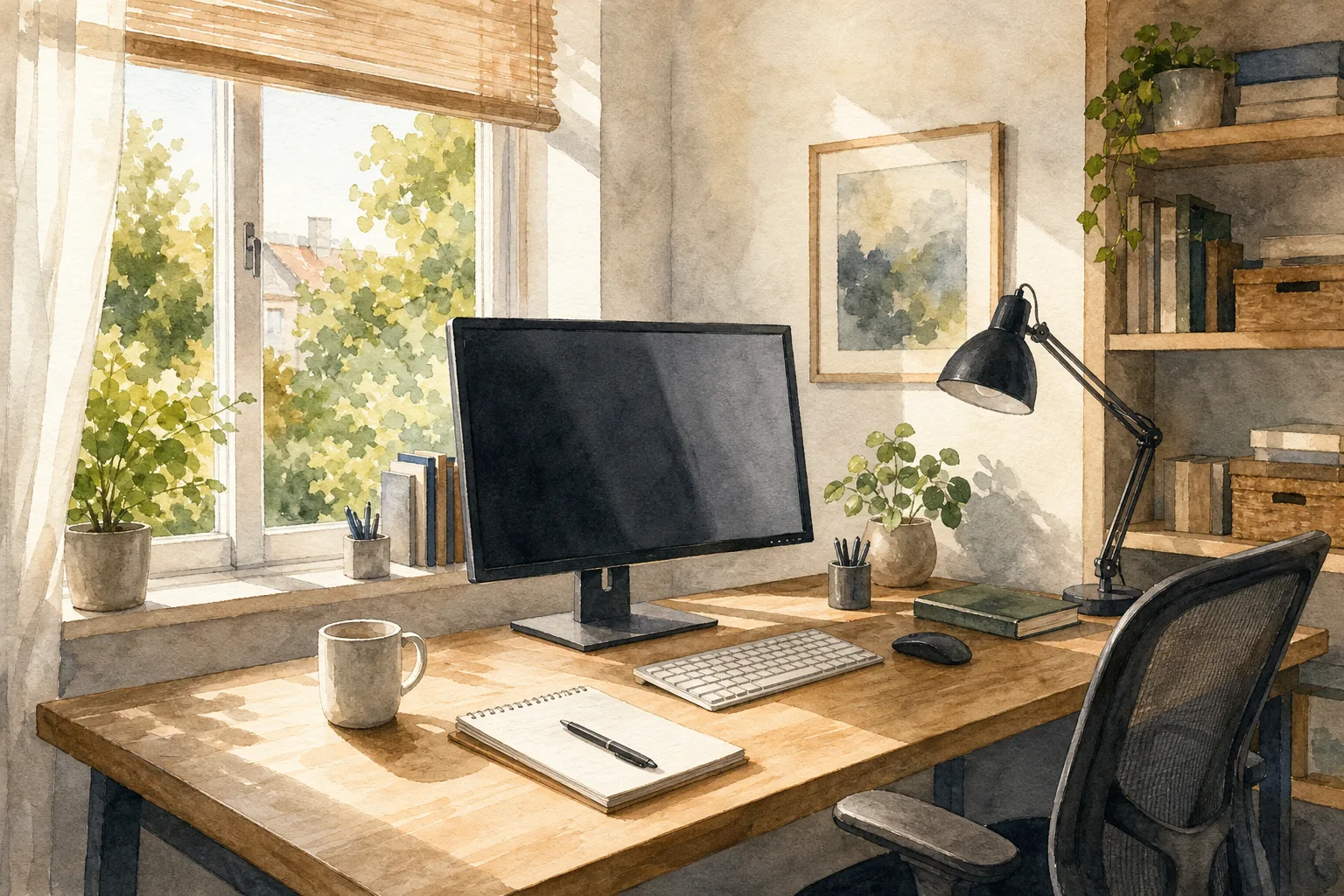
The most common daylight-at-the-desk mistake is placing a screen directly in front of a bright window, then raising the display brightness to compensate. That can leave you squinting or reaching for the blinds, even though a small change in desk or monitor position may help. Start by looking at how the window, screen, and your usual seat line up.
Daylight at a desk does not require a large window or a perfect room. The aim is to use the available light while limiting reflections and sharp contrasts in your normal sightline. Three positions are worth comparing: put the window beside you, face it, or sit with your back to it. Each can be workable, depending on the room, screen, and time you spend there.
Place the window beside you for a flexible starting point
In many rooms, setting the desk so the window is beside you is a useful place to start. Side light may brighten the work surface without shining directly toward your eyes or directly onto the front of the screen. The result depends on the window’s brightness, the screen’s finish, and the direction of the sun, so check from your regular chair rather than assuming the arrangement will suit every room.
This position can suit a room with one main window and a desk that can move away from the wall. It may also help if you switch between a monitor and paper, since daylight can reach the work surface without falling squarely across the display.
If a bright patch lands on your notes, try putting the window opposite your writing hand. If light reflects on the screen instead, shift the monitor across the desk or turn it slightly. A modest adjustment may be easier than moving the whole office.
Check for a bright rectangle in the dark screen, a stripe of sun crossing the keyboard, or a marked contrast between the monitor and the wall behind it. Thin curtains or an adjustable shade may soften direct sun, though the effect will depend on the fabric and the light outside.
Side light can change during the day. A window that seems gentle in the morning may send a stronger beam across the desk later. If that happens, adjust the shade or shift the screen rather than assuming the morning arrangement will remain comfortable.
Face the window when its brightness stays comfortable
Facing a window can suit a shallow desk, a narrow room, or anyone who prefers a view while working. The main concern is contrast: if the window looks much brighter than the display, the screen may seem dim by comparison. Direct sun can also feel uncomfortable, even when no clear reflection appears.
This position may work with a shaded outlook or soft, even daylight. It can also suit paper-focused work, with the monitor set slightly to one side rather than directly in front of the window.
Turn the screen off and look at its surface from your usual chair. If you can see a distinct reflection of the window, angle the monitor slightly or move it sideways. A matte display may reduce mirror-like reflections, but it will not change how bright the window looks beside the screen.
A light-filtering roller shade may soften strong daylight while leaving the room bright. If sunlight reaches your eyes, try changing the chair or desk position as well; a shade may not address every angle.
Sit with your back to the window only if reflections are manageable
With your back to a window, the daylight falls toward the screen and may reflect into your view. This can be distracting, especially with a glossy display, but the outcome depends on the window, screen angle, and other bright surfaces in the room. It can still be a practical arrangement when the room offers few alternatives.
A small or shaded window, an alcove, or a need for shelves on the wall ahead may make this position useful. A movable monitor arm and an adjustable shade can give you more ways to respond if a reflection appears.
Check the display while it is dark, then open a light document. A reflection that is subtle on a bright page may be more noticeable against a dark screen. If you see the window, lamp, or another bright object, try changing the monitor’s height or tilt before considering a different screen.
During video calls, this position may leave your face in shadow, though the result depends on the camera and available light. If you use video often, check the camera preview under your usual conditions. A shaded lamp placed off to one side or aimed at a nearby wall may help; if it creates glare or feels uncomfortable, move it farther away or turn it off.
Which window position suits your desk?
Is a desk beside a window better than facing it?
A side-on window is often a convenient starting point because it may keep daylight from falling directly behind the screen. Facing the window can still work if the light is comfortable and you can control reflections and brightness.
Should the monitor face away from the window?
It can, but a window behind you may show up as a screen reflection. Check from your chair and adjust the screen angle or desk position if the reflection gets in the way.
Do blinds remove screen glare?
Blinds may soften direct sun, but they may not remove reflections from glass or other bright surfaces. If a shade makes the room too dim without clearing the reflection, try changing the monitor angle or desk position.
What if the desk cannot move?
Adjust what can move: shift or tilt the monitor, change the shade, or reposition a lamp. Make one change at a time so you can tell whether it helps.
Compare the layout at the times you normally work
Daylight shifts, so a desk that feels comfortable early in the day may become distracting later. Before buying furniture or heavy curtains, try the positions available with what you already have. The aim is a setup that works during your usual routine, not one that avoids every change in sunlight.
Say you have a desk against the only long wall and a window on the short wall to its right. You turn the desk so the window is beside your chair, then angle the monitor slightly toward the interior. From your usual seat, the window is no longer a distinct shape on the dark screen, while daylight still reaches the keyboard. Later, if a sunbeam crosses your notes, you lower a light-filtering shade; if the room then feels too dim, you raise it and shift the notes instead.
Use these checks to decide what to change:
- Screen dark: If you see a clear window or lamp reflection, then shift or tilt the monitor; if the reflection remains, try a different desk orientation.
- Light document open: If text is hard to distinguish or you find yourself leaning closer, then adjust the screen angle or soften the window light; if that does not help, compare another desk position.
- Keyboard and notes: If direct sun crosses your work area, then lower an adjustable shade; if that makes the desk too dim, move the notes or turn the desk slightly.
- View from your regular chair: If the window feels uncomfortably bright beside the display, then try a light-filtering shade; if the contrast still bothers you, put the window to one side.
- Later in your workday: If a reflection or sunbeam appears as daylight changes, then adjust the shade or monitor; if the problem returns often, choose a layout that avoids that path.
- Lamp switched on: If the lamp appears in the screen or casts a strong shadow on your notes, then move it to the other side or aim it at a wall; if the reflection persists, use the lamp only when needed.
Think of the monitor like a glossy picture frame: its angle affects what the surface reflects. Turning it slightly may move a window’s image out of your sightline, but it cannot soften direct sun or brighten a dark corner by itself. Keep the display at a comfortable viewing angle and use the shade to manage the window.
Use a task lamp when daylight leaves the work surface uneven
Even a workable window position may leave the desk dimmer as clouds pass or evening approaches. A task lamp gives you a local source of light without requiring you to close the shade or increase screen brightness. Place it where your writing hand will not cast a shadow across the page, and aim it at the desk rather than the monitor.
A shaded lamp with a movable arm is easier to redirect than an exposed bulb. After switching it on, check the display from your chair. If the lamp reflects in the screen, move it farther to the side or aim it at a pale wall for softer reflected light.
For video calls, a lamp near the screen may help illuminate your face, but the result varies with the room, camera, and lamp. A bare bulb close to your eyes may feel harsh; a diffused shade or light bounced off a nearby wall may feel gentler. Check your camera preview and adjust the lamp’s position or turn it off if the image or comfort worsens.
Choose a layout you can adjust as daylight changes
When the room allows it, start with the window beside you and check how the screen looks through your working day. A window-facing desk may suit soft light and a screen set off-axis; sitting with your back to the window may work if reflections are easy to control. In any position, a movable shade and an adjustable monitor offer options when the light changes.
Judge the setup by ordinary tasks: can you read the screen without leaning forward, write without a bright stripe crossing the page, and keep the room comfortable without closing off the window? Make one small adjustment, then check the result at the times you normally work. For daylight at the desk, that careful check can help you solve a reflection without rearranging the whole room.